Fan-Made Community Wiki
Build and Kill Zombies Wiki
Build a weaponized car, add defenses, and smash through increasingly dangerous zombie waves. Earn cash from each run and reinvest it into a stronger build that survives farther.
- Launched Aug 19, 2026
- Updated Sep 15, 2026
- 2.8M+ Visits
- 105K+ Favorites
- 96% Positive
Latest Updates
Start Here
- 1
Beginner Guide
Learn the core build, drive, survive, and upgrade loop so your first cars can push farther into the zombie waves.
- 2
Car Building & Part Placement
Understand how to assemble a stable vehicle and position weapons and defenses where they can actually protect your run.
- 3
Cash Farming & Upgrade Order
Learn how to turn each run into more cash and decide which upgrades give the best early progression value.
- 4
Weapons & Wave Survival
Choose offensive and defensive upgrades that help your vehicle survive tougher zombie waves and reach longer distances.
Recommended Pages
Trending Now
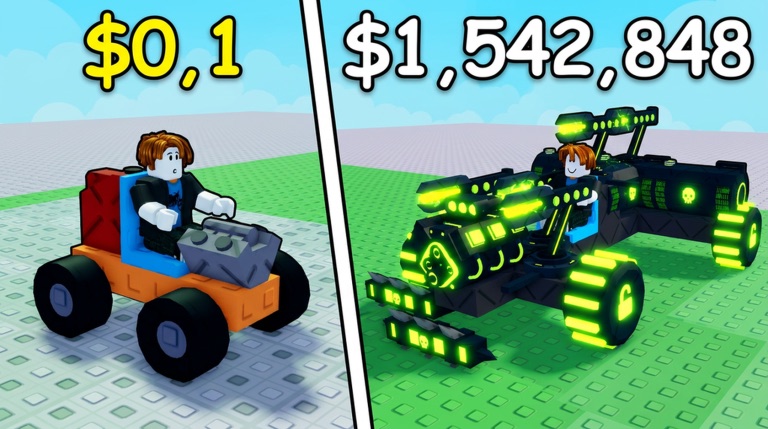
How to Play
Learn how to play 'Build and Kill Zombies' with our expert guide. Discover top tips, vehicle building strategies, and tactics to survive the apocalypse.
Read more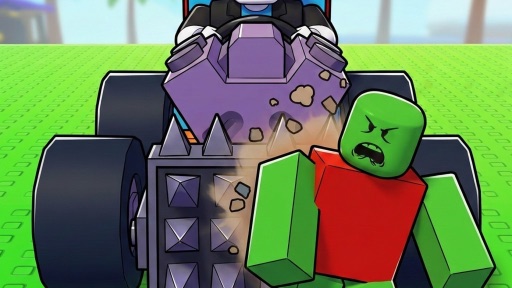
Full Walkthrough
Master the apocalypse with our Build and Kill Zombies walkthrough. Learn vehicle crafting strategies, redeem latest codes, and survive the undead horde easily.
Read more
Controls Guide
Master the Build and Kill Zombies controls with our expert guide. Learn how to construct the ultimate vehicle, survive zombie waves, and dominate the leaderboard.
Read moreHow to Build a Car
Learn how to build a car and kill zombies in this ultimate Roblox guide. Discover the best parts, skill tree priorities, and tips to survive the horde.
Read moreCo-op Strategies
Discover the best ways to build and kill zombies co-op with friends. Learn vehicle construction, base defense, and survival tips in this ultimate guide.
Read moreOut of Fuel Survival
Discover how to survive longer when your Build and Kill Zombies out of fuel alert hits. Learn chassis builds, fuel management, and wave tactics in this guide.
Read more
What is Build and Kill Zombies?
Build and Kill Zombies is a Roblox vehicle-building survival simulation by Zombie Car Crusher. Players assemble a car, add weapons and defenses, and drive into waves of zombies.
Cash earned during runs feeds the next round of upgrades, creating a constant tradeoff between survivability, damage, and distance. The goal is simple: build smarter and survive farther.
Browse guides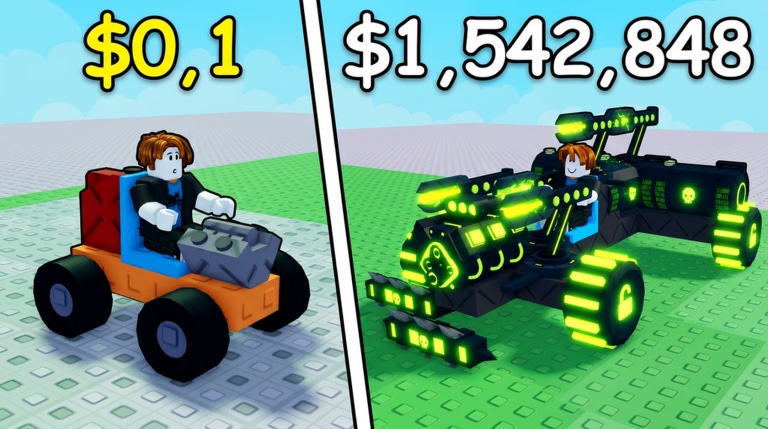
- Developer
- Zombie Car Crusher
- Platform
- Roblox
- Genre
- Simulation / Vehicle Survival
- Visits
- 2.8M+
- Favorites
- 105K+
- Rating
- 96% Positive
- Max Players
- 5
Explore the wiki
Guides
Step-by-step guides for the whole run: first car, controls, walkthroughs, co-op play, out-of-fuel recovery, and record-distance pushes.
Car Builds
Ready-to-copy build ideas, from stable starter cars to record-chasing setups with the best weapons and defenses.
Skills
Skill tree priorities that support longer runs, from safe early picks to the upgrades worth saving for.
Rewards
Free rewards you can claim outside a run, including the join-group chest and other bonuses.
Car Parts
Every part layer in the builder: blocks, engines, wheels, supports, weapons, roll odds, and how each changes a zombie-crushing run.
Cash & Upgrades
Turn every run into more cash and spend it on the upgrades that matter most for early progression.
Events
Limited-time events like the Hacker Event: how they work, the rewards they offer, and tips to prepare.
Codes
The current code status for Build and Kill Zombies: reported codes, redemption steps, and what has actually been verified.
Getting Started: The Core Loop
Learn the core Build and Kill Zombies loop from assembling your first vehicle to surviving zombie waves. This guide focuses on the confirmed build, fight, earn, and upgrade progression shown by the official game and current gameplay.
- 1
Build a working car using the vehicle-building interface.
- 2
Add weapons and defensive parts before starting a run.
- 3
Drive into zombie waves and destroy zombies with your build.
- 4
Earn Cash from runs and reinvest it into a stronger vehicle.
How Car Building Works
Understand the builder interface and how to assemble and revise a drivable zombie-crushing vehicle. Current public gameplay shows dedicated Vehicle and Weapons sections plus placement, rotation, cancellation, and deletion controls.
- 1
Open the Vehicle section and select an available vehicle part.
- 2
Use Click to place the selected part on the build.
- 3
Use R to rotate a placement preview and X to cancel it.
- 4
Use the displayed delete control to remove an unwanted part, then launch the car with the visible Drive command.
Car Parts Explained
Explore the part categories that turn a basic chassis into a functional zombie-crushing vehicle. Current gameplay shows vehicle components including engines, wheels, fuel-related parts, structural pieces, and a separate weapon/support layer.
- Blocks
Structural pieces form the main body of the vehicle.
- Engines
Engine parts are available through the Vehicle inventory; a Small Engine is visible in current gameplay.
- Wheels
Wheel parts provide the vehicle setup needed for driving runs.
- Fuel
Fuel-related vehicle parts are part of the current car-building system.
Weapons and Defenses
Weapons and defenses are a confirmed core layer of every Build and Kill Zombies vehicle. Use this section to understand the combat parts attached to your car and how they support zombie-wave runs.
- Weapons
The builder includes a dedicated Weapons section separate from the main Vehicle section.
- Wooden Spike
A Wooden Spike is visibly available in dated public gameplay of the correct Roblox experience.
- Defenses
The official Roblox description explicitly lists defenses as a core part of vehicle building.
- Combat Build
Weapons and defenses are added before driving into zombie waves and testing how far the car can survive.
The Cash and Upgrade Loop
Cash connects every zombie run to your next vehicle improvement. The official gameplay loop explicitly rewards players with money and sends those earnings back into upgrading the build.
- 1
Finish a build that can enter the zombie route.
- 2
Crush zombie waves and push the vehicle farther during the run.
- 3
Collect Cash generated through the gameplay loop.
- 4
Spend earnings on improvements and test the upgraded build in another run.
Surviving Longer Runs
The main challenge is pushing a custom vehicle through repeated zombie waves and surviving farther than before. This guide focuses on the confirmed relationship between your build, its weapons and defenses, zombie combat, and run distance.
- 1
Prepare the car before entering the zombie route.
- 2
Equip weapons and defenses instead of relying on an unprotected vehicle.
- 3
Drive through the route and crush the incoming zombie waves.
- 4
Use the resulting earnings to improve the build and attempt a longer survival distance.
Updates and Community
Track developer announcements and community information from the verified Zombie Car Crusher Roblox community. The official community is the safest source for update ideas, announcements, and developer-requested bug or exploiter reports.
- Developer
Build and Kill Zombies is published by Zombie Car Crusher.
- Community
The verified Zombie Car Crusher Roblox community has more than 83,000 members.
- Owner
The official Roblox community identifies kaz as its owner.
- Feedback
The developer announcement invites players to submit update ideas and bug or exploiter reports through the community forums.
Codes and Rewards
Track redeem-code availability without publishing unverified strings. As of September 15, 2026, no active developer-posted Build and Kill Zombies code was independently verified through the official Roblox experience or the official Zombie Car Crusher community.
HOLLOWKINGReported100 Crypt Tokens and 2x Luck for 10 minutes
HOLLOWReported50 Crypt Tokens
CRYPTCRAWLERReported250 Crypt Tokens
ZEUSReported50 Lightning Tokens
IAMPROReported5,000 Cash — requires a best distance of 1,500 studs
LASTHACKEREVENTReported2,500 Hacker Tokens (requires a best distance of 2,500 studs)
NEWBOSSNEXTWEEKReported150 Hacker Tokens
CYBERHACKReported2,500 Hacker Tokens
ROBLOXCLASSICReported1,500 Cash
SCIFIReported1,000 Cash
PAINTEVERYWHEREReported1,000 Cash, 1 Crossbow and 1 Mounted Gun
COMMUNITYReported1,000 Cash, 1 Small Engine, 1 Small Tank
CashDropReported500 Cash
MOREFRIENDSReported2 Passenger Seats
HACKERReported50 Hacker Tokens
1x1x1x1Reported150 Hacker Tokens
None verifiedUnavailableNo developer-posted active code has been independently verified.
Frequently Asked Questions
What is Build and Kill Zombies?
Build and Kill Zombies is a Roblox vehicle-building survival simulation by Zombie Car Crusher. You assemble a car, add weapons and defenses, drive into waves of zombies, and reinvest the cash you earn into a stronger build.
Who develops Build and Kill Zombies?
The game is published by Zombie Car Crusher. The verified Zombie Car Crusher Roblox community shares update ideas, announcements, and bug reports with players.
Can you play with friends?
Yes. Servers support up to 5 players, so you can compare builds and survive zombie waves together.
Are there working Build and Kill Zombies codes?
As of September 15, 2026, no developer-posted active code has been independently verified through the official game or the Zombie Car Crusher community. Community sites report codes such as COMMUNITY and CashDrop; our Codes guide tracks the latest reported status and how to redeem them.
How do I survive longer runs?
Balance speed, armor, and firepower. Add weapons and defenses before launching, push through as many zombie waves as possible, then spend the cash you earned on the upgrades that fix whatever stopped your last run.
Is this wiki official?
No. Build and Kill Zombies Wiki is an independent fan-made guide site. We are not the developer or Roblox, and official links are provided for convenience.
Ready to Master Build and Kill Zombies?
From your first starter car to longer zombie-survival runs, learn how to build smarter, spend cash efficiently, and turn better weapons and defenses into new distance records.